
Guest dashboard
Branded for your property, mobile-first, no login.
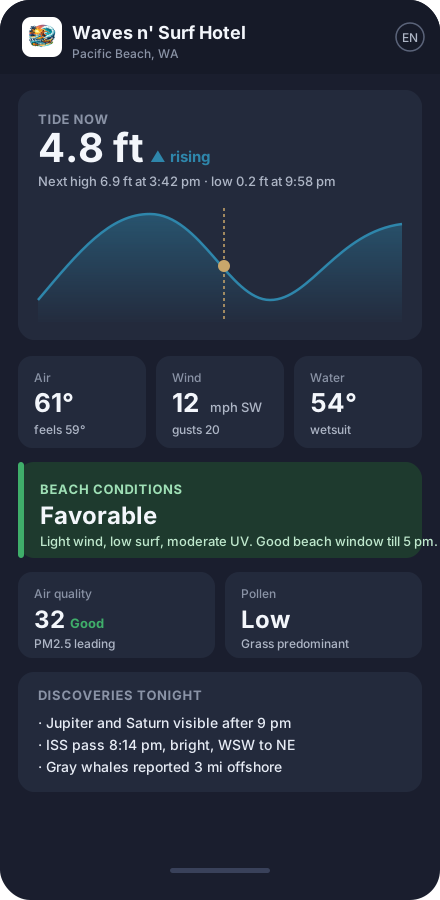
Guests open the dashboard from a QR card, short link, or code you give them. A typical view shows the tide hero (or the "today outside" hero for inland properties), current conditions, beach or outdoor conditions, the weather row, AQI + pollen, and discoveries — every card tappable to expand.
- Tide hero — current tide, rate (rising/falling), next high/low, color-banded chart with your warning/preferred/safe ranges. Optional tomorrow's tide overlay flips the chart and the hi/lo schedule to the next day.
- Today outside hero (inland) — mode-aware best-window-today card: Best hike in the mountains, Best walk in cities, Coolest window in the desert. Shows the daylight remaining and an hour-by-hour comfort sparkline.
- 5-day forecast — compact 5-column outlook with day labels, weather icons, daily high/low, and a precipitation chip when rain is likely. A mode-aware lede picks out the best day in the window: Best beach window, Best day to hike, Best day to be out, or Coolest day. Tap to expand for per-day wind, UV, and sunrise/sunset detail.
- Beach conditions — composite "favorable / mixed / use caution / hazardous" score, with the active limiter visible (waves, water temp, UV, alerts).
- Outdoor conditions — daily synthesis of air quality, pollen, heat, cold, rain, wind, UV for any property type, with an optional tomorrow strip.
- Wildfire — auto-hiding card that surfaces when smoke (PM10 from wildfires + aerosol depth), an active NIFC fire perimeter within 50 miles, or an NWS Red Flag warning is in effect. Opt-in always-visible mode for fire-safety education at coastal-prevention properties.
- Fog & visibility — auto-hiding card that surfaces when fog is forming or already in (small dew-point spread, or visibility below ~5 mi). Mode-aware framing: marine layer for coastal, valley fog for mountain. Useful for visibility-dependent activities like drives, beach walks, and sunset photography. Hides on clear days.
- Stargazing tonight — always-rendered score blending cloud cover during the astronomical-dark window, tonight's moon phase, and your property's light-pollution class. Configurable Bortle override.
- Inland waters — opt-in USGS card for properties near a stream gauge or reservoir: discharge + gage height (rivers) or surface elevation (lakes), trend chip, 7-day sparkline.
- Weather row — temperature, wind, waves, UV, sun & moon. Tap any card for a 24-hour sparkline.
- Local weather station — optional. Connect an Ambient Weather station and Driftwood overlays its live measurements onto the current conditions: temperature, feels-like, humidity, dew point, wind speed and gust, pressure, daily and hourly rain, UV. Guests see ground-truth readings from your exact location instead of a gridded forecast that thinks it’s foggy when the sun’s out. Use your own station or pick a nearby one from the public Ambient network. Falls back to the forecast automatically when the station is offline.
- Air quality + pollen — AQI with predominant pollutant; pollen with predominant species. Tap to see all subindices and species.
- Discoveries — wildlife sightings nearby, visible planets tonight, ISS passes, recent earthquakes, aurora chance.
- Warnings — permanent advisories, auto-rules, and live NWS alerts.
Multilingual (EN / ES / FR) with a globe button. Works offline for already-loaded content. No tracking cookies beyond dashboard analytics.
Destination view
A taste of your property's surroundings before guests even arrive.
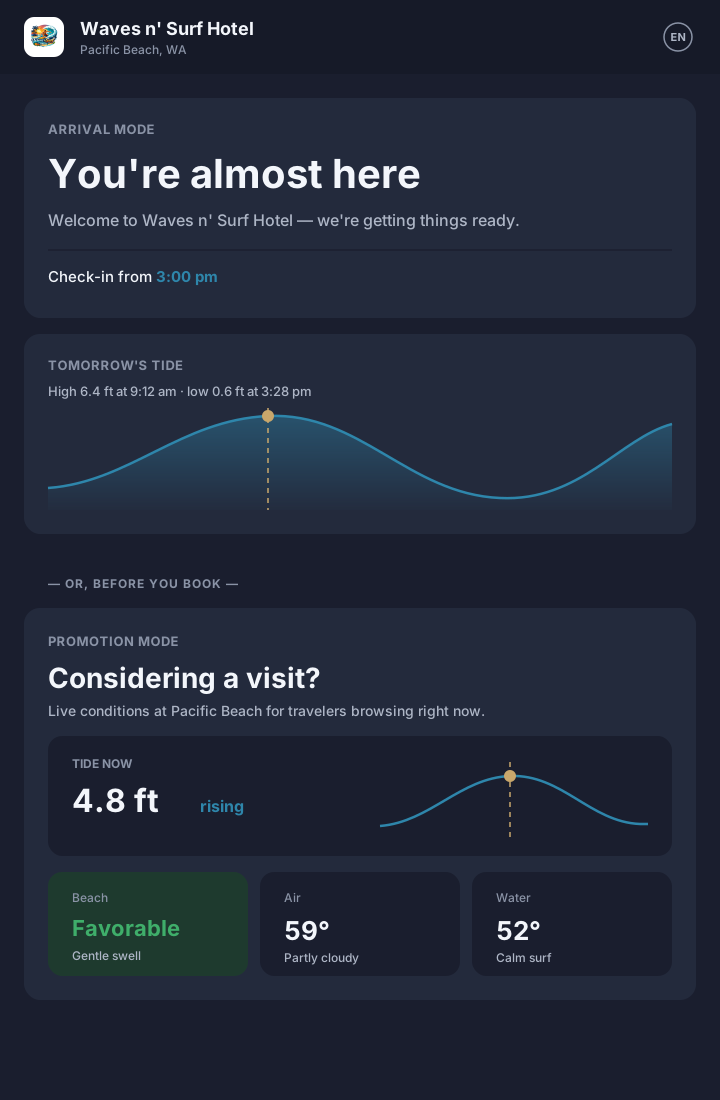
Destination view is a pre-arrival glimpse of your guest dashboard, behind a short code you generate. Same brand, same conditions, same warnings — minus the room-specific bits. Two purposes, two voices, one product:
- Arrival codes — drop the link into your booking-confirmation or pre-arrival email. Guests land on a "You're almost here" page with tomorrow's tide, tomorrow's weather, a packing tip generated from the forecast, your check-in time, and a one-tap "Open in Maps" link. They arrive at your door already oriented.
- Promotion codes — embed the link on your property website, a social post, or a Google business profile. Considering-a-visit guests see a "Considering a visit?" page with the same live conditions and your curated narrative. No check-in time, no in-room cards — just a sample of what staying here feels like.
Each code carries its own purpose and label. Both render in the guest's language (EN / ES / FR). Page-view counts roll up alongside in-room dashboard analytics in your Insights tab, so you can see which channels drive the most pre-arrival opens. A daily view cap that scales with your plan protects you from runaway costs if a link goes viral, with a heads-up email when you cross 10% of the cap.
Backed by the same conditions and messages you already manage. No extra setup beyond generating a code.
Admin portal
Calm, paper-warm, every change visible immediately.
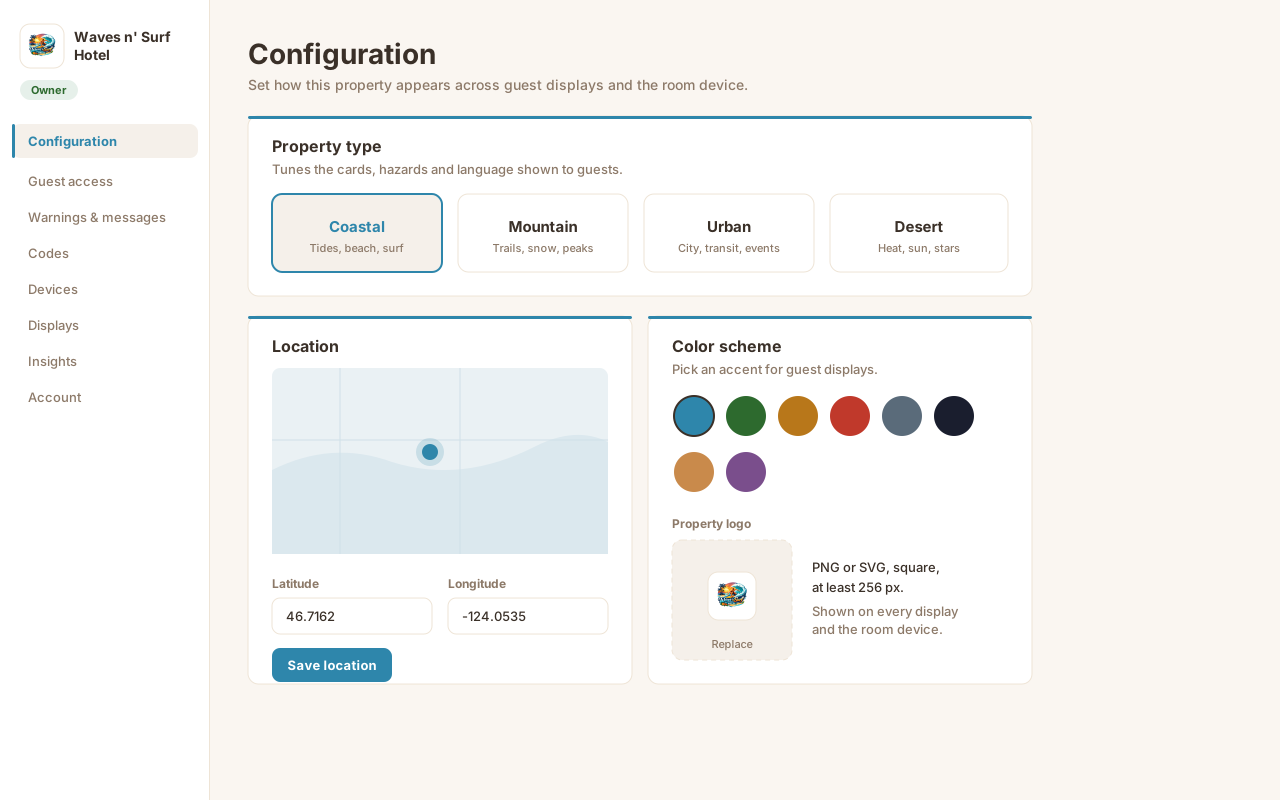
Your admin lives at a portal-only URL. Pages cover property type, location, color scheme + branding (with AI brand extraction), guest access, languages, what guests see, warnings & messages, room codes, devices, displays, insights, and your team.
The sidebar always shows which property you're managing — its logo on its own accent color — plus your role pill.
Lobby displays
Your existing TVs and tablets, no extra setup.
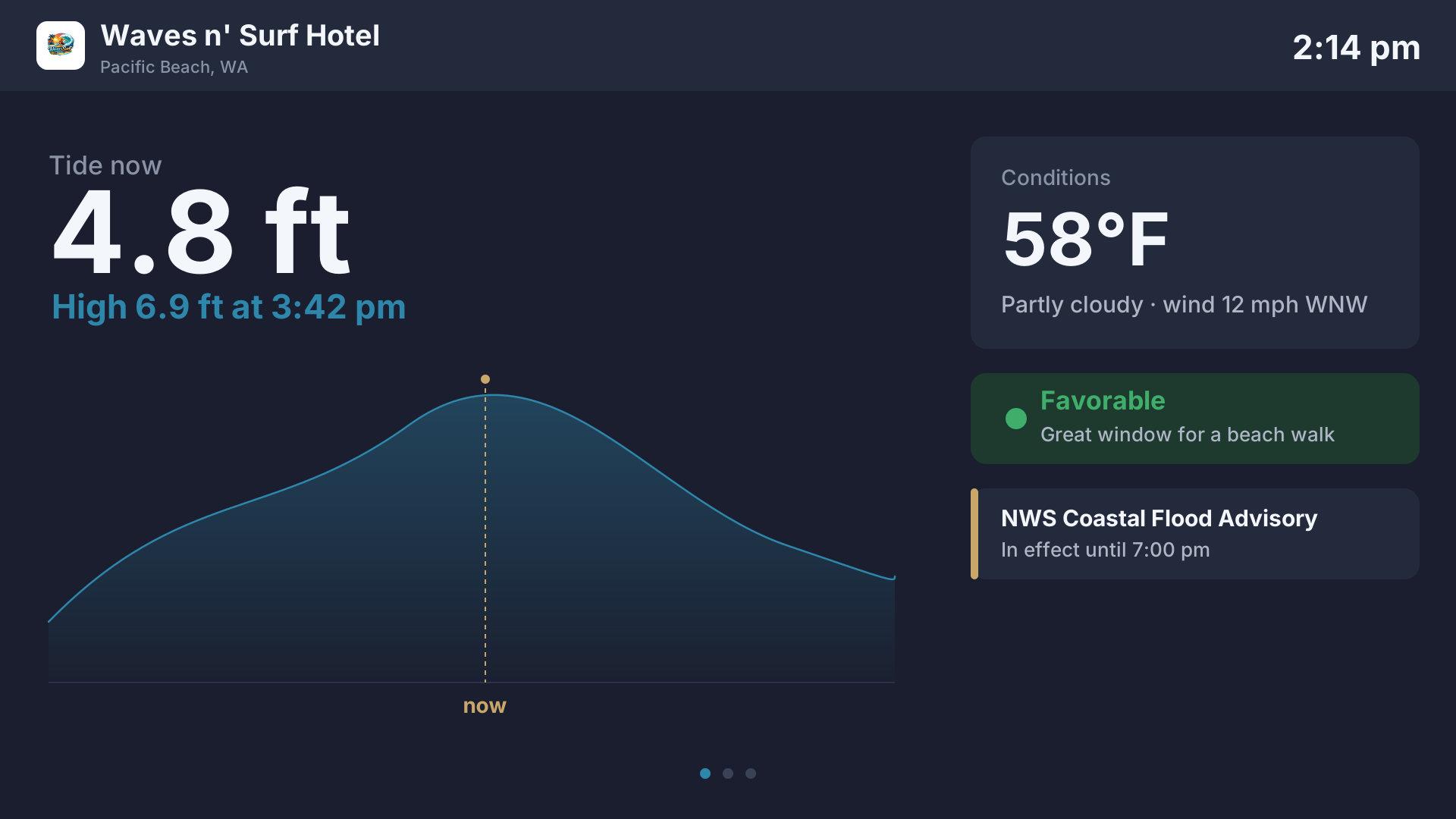
A token URL you paste into any TV, Chromecast, or tablet in a public area. Auto-rotates through tide, weather, alerts, and warnings every 1–6 minutes. Multilingual N-up rendering: show up to 4 languages side-by-side. Auto-scale font for long messages. Severe-event overlay suppresses cycling until the alert clears.
Driftwood devices
A dedicated Driftwood device in every room.
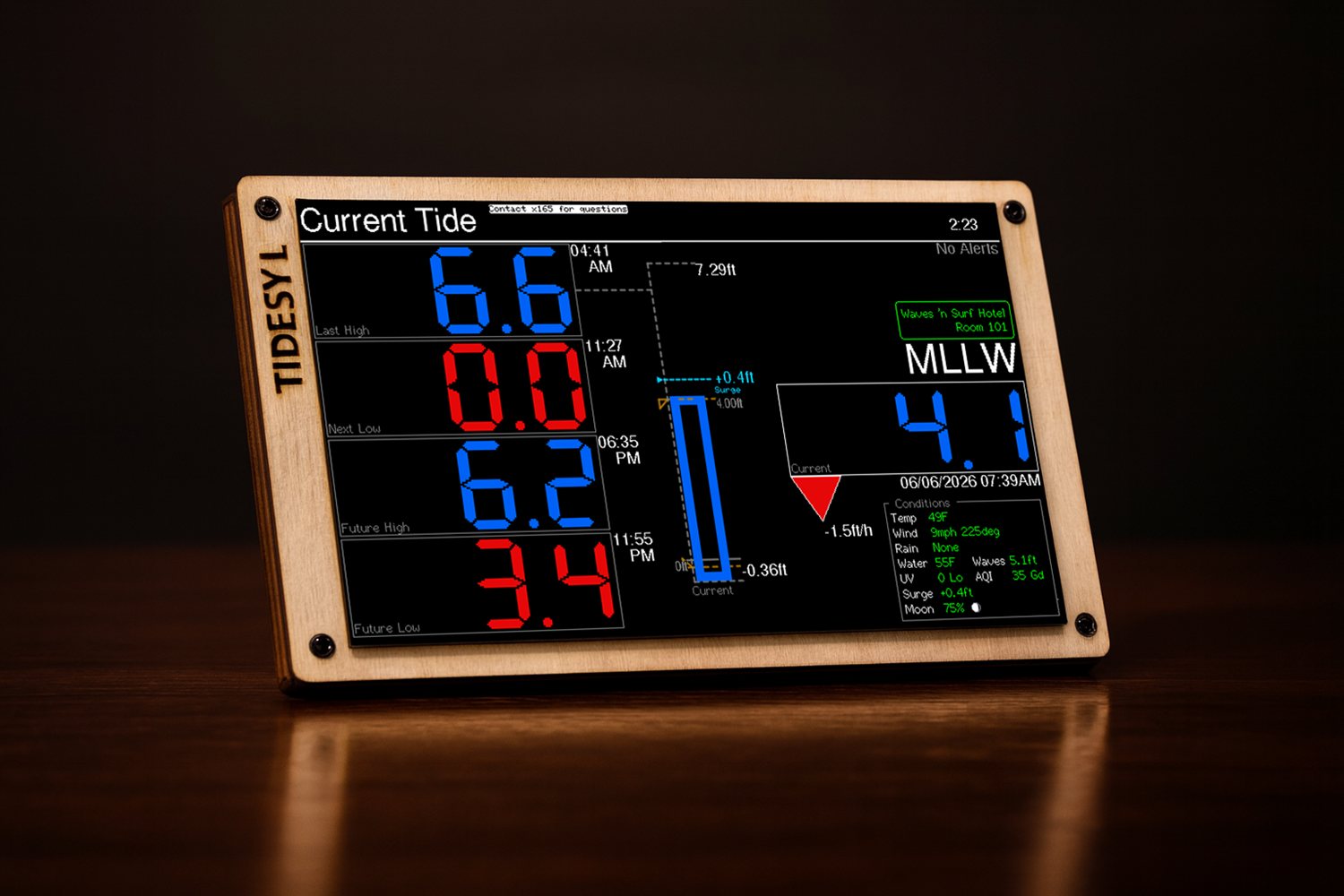
A Driftwood device is a Tidesy device configured for your property — a beautifully framed, always-on screen for the room or lobby. It renders the same tide chart and conditions as the guest dashboard, refreshing through the day, so the location is present in the room the moment a guest walks in.
Two sizes — M (5-inch) and L (7-inch) — with a black frame and a basswood faceplate (ask us about other designs and faceplate customization). Plug in or run on a USB-C battery. Wi-Fi setup via a built-in provisioning screen, quiet hours, custom colors, OTA firmware updates, and per-property anti-theft locking (see device security). Your host warnings and welcome messages render right on the screen, with auto-translation on plans that include it.
Available for coastal properties today; inland variants are on the roadmap.
Device security
Built to stay put.
In-room hardware is the one piece of Driftwood a guest can physically pocket. So every device is locked to your property and useless to anyone else — no separate alarm hardware, no monthly fee.
- PIN-locked re-provisioning — once a device is set up, it can only be moved to a new room or network with the manager's six-digit unlock PIN. Unplug it and plug it in somewhere else and it simply asks for the PIN.
- "Move device" window — relocating on purpose? Arm a short, PIN-free reconfiguration window from the portal while the device is still online, then reconnect it anywhere until the window lapses.
- Stolen-device lock — report a device stolen and it's locked on its immutable hardware ID. It refuses to re-provision and the lock survives a factory reset and a firmware reflash — the teeth that make a stolen unit worthless.
- PIN-gated factory reset — the on-device reset is behind an on-screen keypad that demands the manager PIN, so a guest can't wipe a unit back to setup.
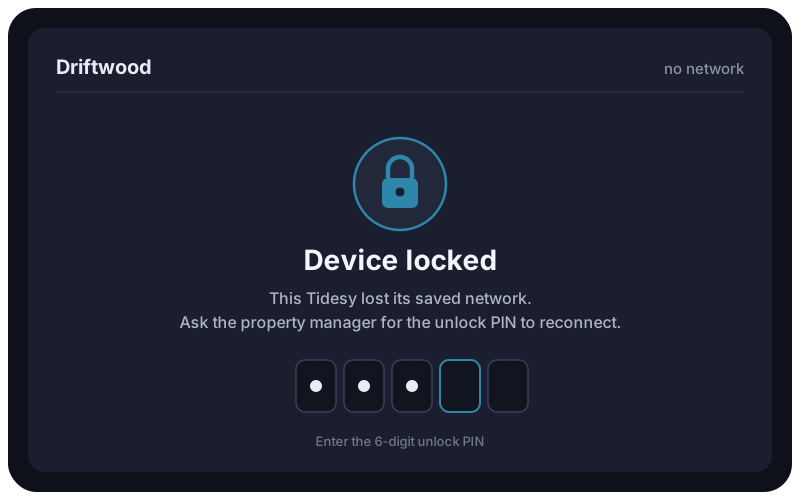
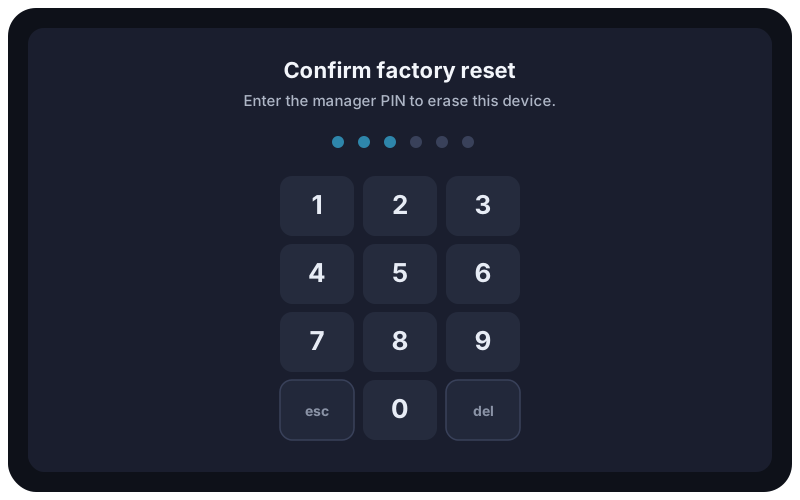
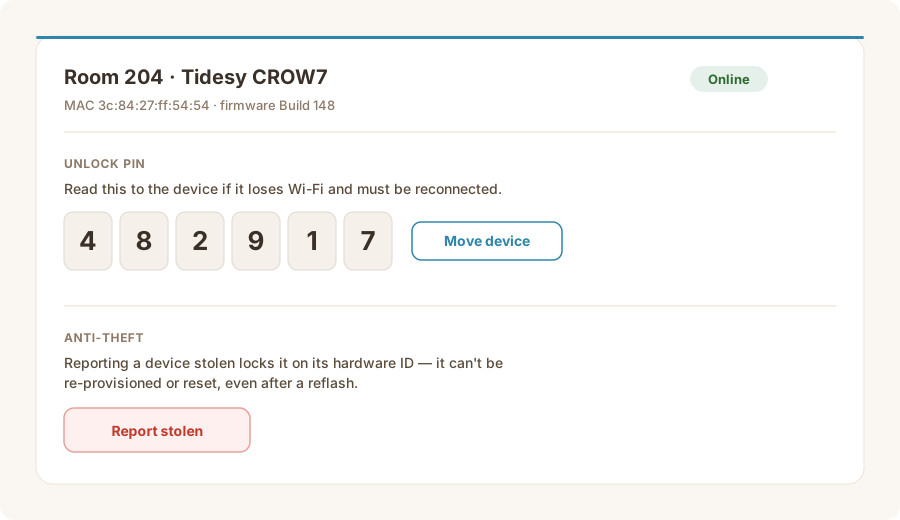
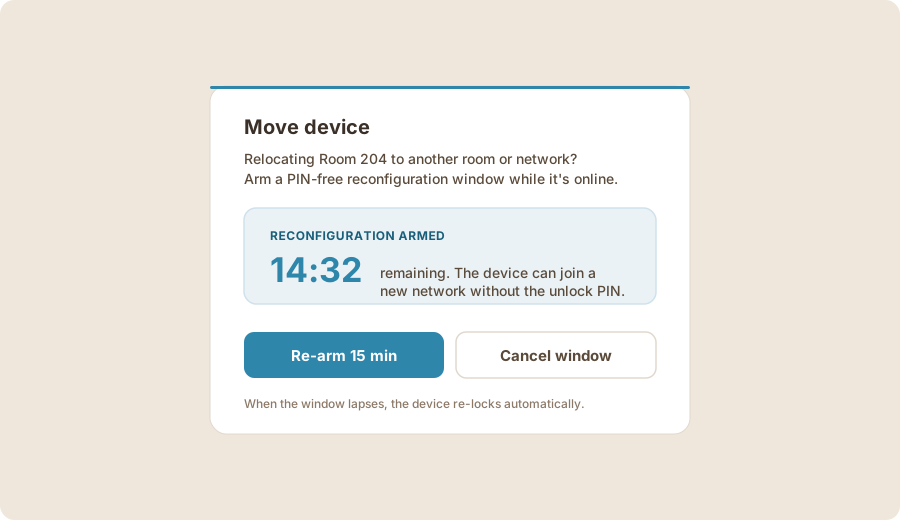
Conceptual illustrations of the device and portal screens.
Insights
Privacy-respecting engagement analytics.
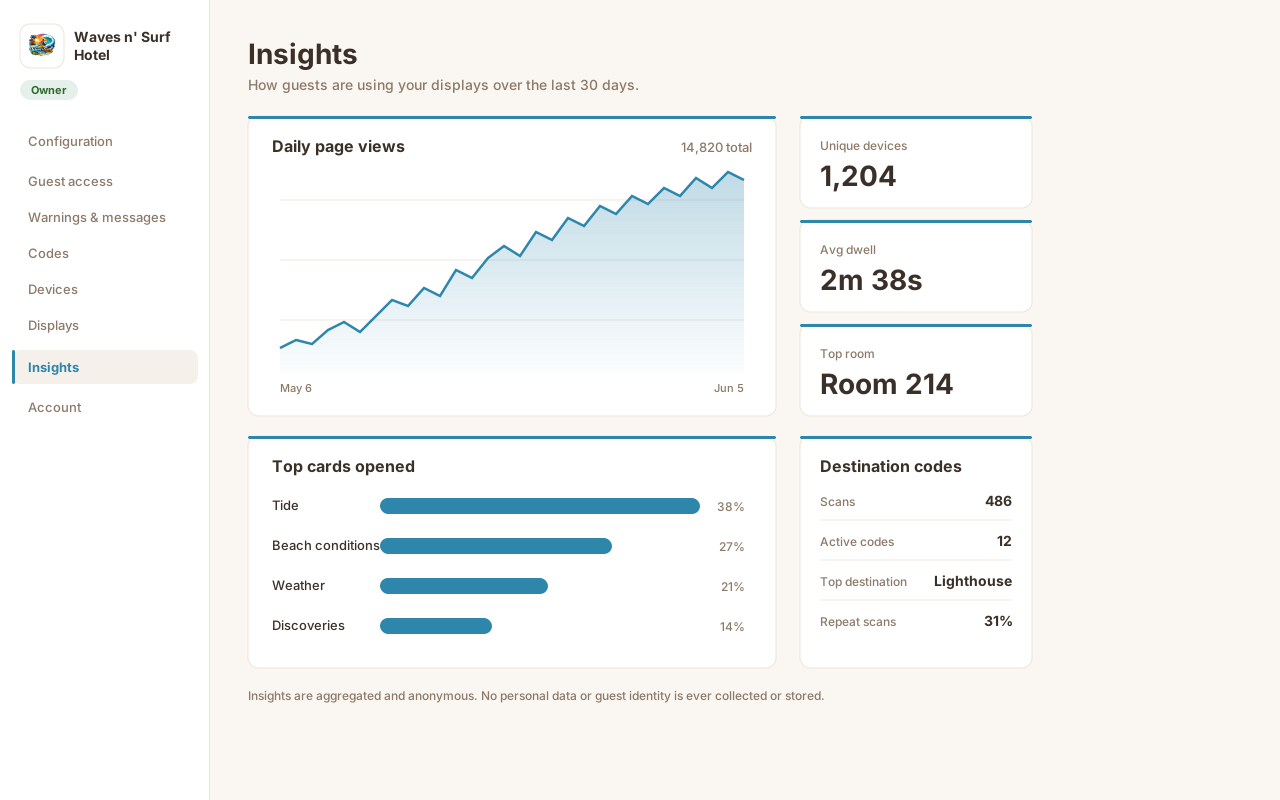
Count without identifying. Daily page views and unique-device counts over 7/30/90 days. Top 5 cards opened, top 5 rooms by code scans, average dwell time per card. Compact summary on the home Dashboard with a sparkline and delta.
No IPs, no user-agents, no cookies linkable to a person. Device UUIDs are SHA-256 hashed before they touch our database.
Every feature, one product.
Start a 30-day trial and turn on the cards your guests need.